Symmetric Encryption Plugin
Overview
- Algorithm: Symmetric AES-256 with GCM (CBC is soon to be deprecated).
- Purpose: Encrypts request and response payloads using a shared key.
How to Use
- Go to the My APIs page and select the API you want to configure.
- Click on Open API Studio.
- Follow the usual setup steps (such as selecting environment, naming, etc.).
- Under plugins, select Data Encryption.
Configure Encryption
- In the configuration modal, choose:
- Symmetric Encryption (AES256-GCM)
- Select the required encryption key from the dropdown.
- Keys are managed under Security > Encryption Keys.
- Refer to the Encryption Keys documentation for creating and managing keys.
- Click Save to generate the encrypted version of the API.
Key Management:
- 32-byte secret key (256-bit).
- 16-byte IV per request (should be random).
When to use: High throughput, strong confidentiality, low latency
Symmetric Encrypted API Example
curl -X POST https://<endpoint>/api/v3/studio/<id>/<base-api-id> \
  -H 'Authorization:<your-signzy-auth-key>' \
  -H 'Content-type:application/json' \
  -d '{ "encryptedData":"<AES256 encrypted request>" }'
Response
{
  "encryptedData": "<AES256 encrypted response>"
}
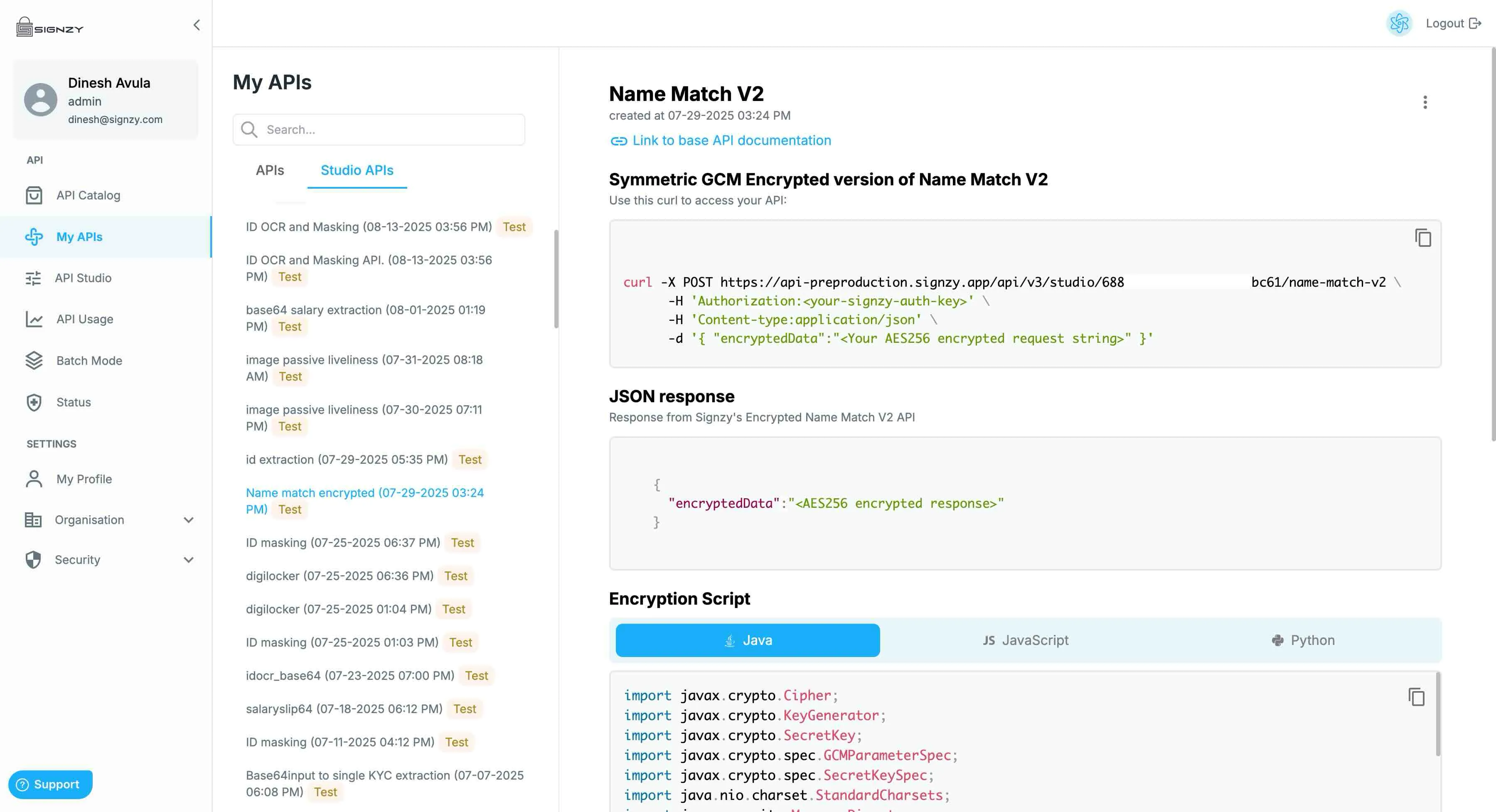
Documentation for the new Encrypted Studio API
You can open the Studio API tab under the My APIs Page and check your new encrypted API documentation there
You will get the production curl and this will work with the same API Keys that you already have in your account which you can also use to access to base unencrypted version of the API as well.
You will also get sample code snippets for encryption the request body and decrypting the response body.