Step 3 - Types Of Signatures
In our digital journey, we offer support for five different types of signatures.
Clickwrap
The clickwrap signature method is a straightforward and efficient way to obtain digital signatures for agreements or contracts. It involves presenting the terms and conditions of the agreement on a website or application and requiring users to indicate their acceptance by clicking a designated "Agree" or "Accept" button. This method is widely used in online transactions and services, providing a convenient and legally binding way to collect electronic signatures. By clicking the designated button, users demonstrate their consent and agreement to the presented terms, enabling a smooth and secure digital signing process.

You can use the following in Create Contract API for using Clickwrap.
{
"signatureOptions" :["iaccept"],
}
It is applicable globally.
Secure Clickwrap
The clickwrap signature method, combined with mobile or email OTP (One-Time Password) based authentication, provides a seamless and secure way to obtain digital signatures. This method involves presenting the terms and conditions of an agreement on a website or application and requiring users to click a designated "Agree" or "Accept" button. In addition to the clickwrap process, users are also required to authenticate themselves using a One-Time Password sent to their mobile device or email address. This two-factor authentication ensures an extra layer of security, confirming the identity of the signer and enhancing the validity and integrity of the digital signature process.
It is applicable globally
Easy eSign
Easy eSign are digital versions of your physical signature that you can use to sign electronic agreements. They can be created by drawing your signature electronically or choosing a pre-made template of your name. When you attach this digital representation of your signature to a document, it shows that you agree to the terms of the contract and intend to be bound by them. However, unlike electronic signatures, virtual signatures do not have the added security measures of cryptographic and hashing algorithms.
We offer support for 3 different ways to do easy eSign:
Draw your signature
In this technique, you use your fingers to draw your signature on a mobile or web screen, aiming to create a digital version that closely resembles your original handwritten signature.

Use auto-generated signature
In this approach, the system automatically creates different signature options using your name, and you can select any of these generated signatures to sign the document.

Upload your signature
In this method, you can sign your signature on a piece of white paper with an ink pen and then capture an image of your signature. You can then upload this image to sign the document digitally.

It is applicable globally.
Aadhaar eSign
It is applicable only in India.
Aadhaar eSign is a digital signature service provided by the Unique Identification Authority of India (UIDAI) that allows individuals to digitally sign documents using their Aadhaar credentials. It enables a convenient and secure way to electronically sign various agreements, forms, and applications, eliminating the need for physical signatures. Aadhaar eSign leverages the biometric and demographic information stored in the Aadhaar database to authenticate the signer's identity, ensuring the integrity and authenticity of the digitally signed documents.
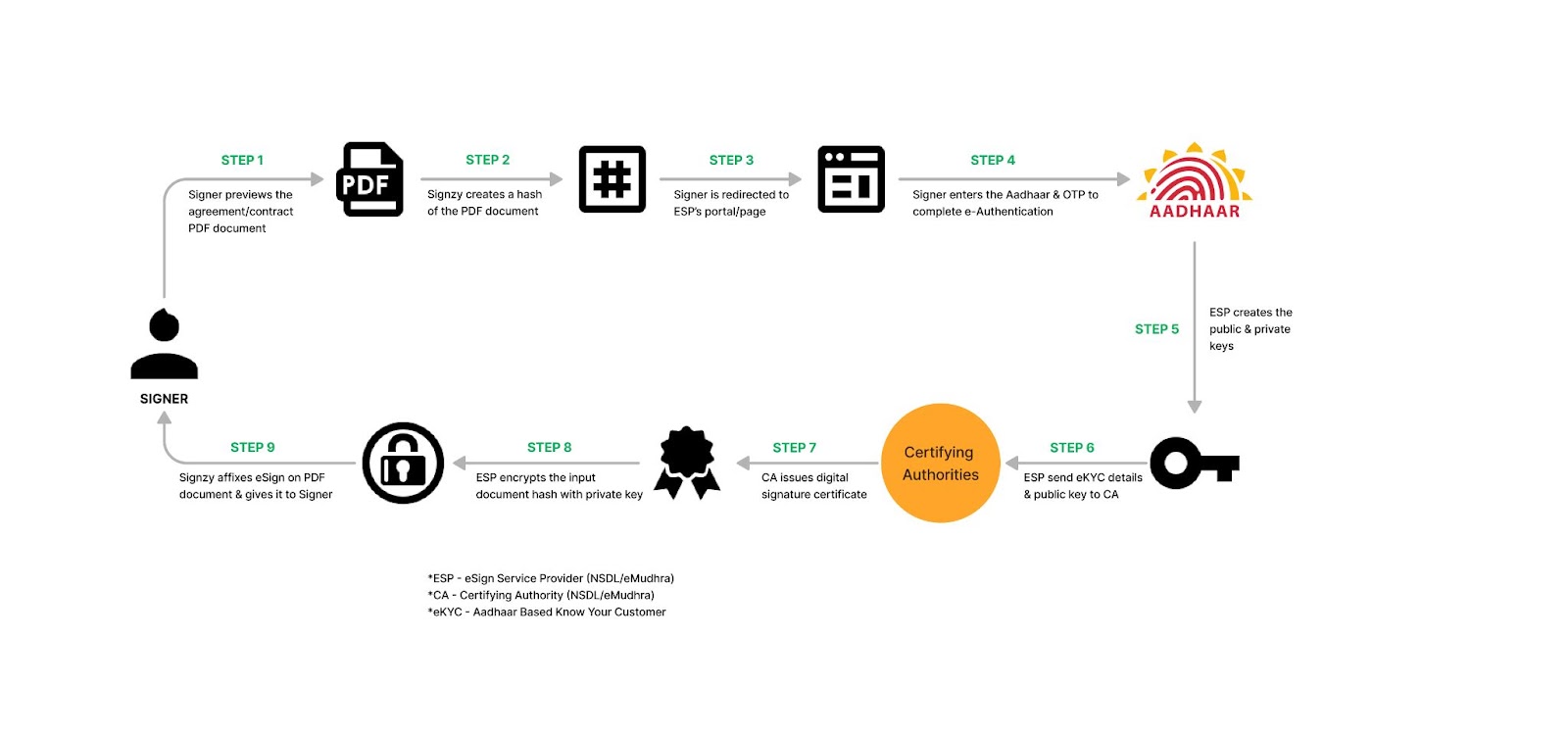
Aadhaar eSign offers two methods of e-Sign: OTP-based and biometric-based.
OTP-Based e-Sign
OTP, which stands for One-Time Password, is a popular method used for e-Authentication in Aadhaar eSign. With OTP-based e-Authentication, individuals are required to provide their Aadhaar number and registered mobile number. A unique OTP is then sent to their registered mobile number. Once the OTP is verified, the e-signing process is successfully completed. You can use the following value of signatureOptions key.
{
"signatureOptions": "aadhaaresign-otp",
}
Biometric-Based e-Sign
Biometric-based e-Authentication is another method utilized in Aadhaar eSign. This method involves the use of an individual's unique biological characteristics, such as fingerprints or iris scans, to verify their identity. During the e-Authentication process, individuals' biometric data is captured using specialized devices. This data is then compared with the biometric information stored in the Aadhaar database. If the biometric data matches, the individual's identity is confirmed, and the e-Signing is considered successful.
{
"signatureOptions": "aadhaaresign-biometric",
}
Global eSignature
We have partnered with eMudhra (https://emudhra.com/), one of the largest Certifiying Authority globally to provide efficient and secure esignature workflows that are fully compliant with regulations such as eSign (USA), eIDAS (Europe), eSign (UAE), and ECA (UK).
It supports 4 ways to do an electronic signature:
Upload Signature
The upload signature method allows individuals to seamlessly integrate their physical signature into digital documents. By scanning or taking a photo of their handwritten signature, users can maintain the personal touch of their autograph in electronic formats. This method is convenient for those who prefer to keep their original signature intact while transitioning to paperless workflows.

Draw Signature
The draw signature approach lets signatories create a unique digital signature by using a cursor, touchpad, or touchscreen to draw their autograph directly onto the document. This method grants a sense of authenticity and customization, as signers can replicate their handwritten signature in real-time, ensuring a more personal connection to the digital transaction.
Font Based Signature
Font based signatures enable users to select a typeface that closely resembles their signature's handwriting style. While not as personalized as the other methods, this approach maintains consistency across digital documents. It's particularly useful for speedy processing, though it might lack the distinctiveness and personal touch of hand-drawn signatures.
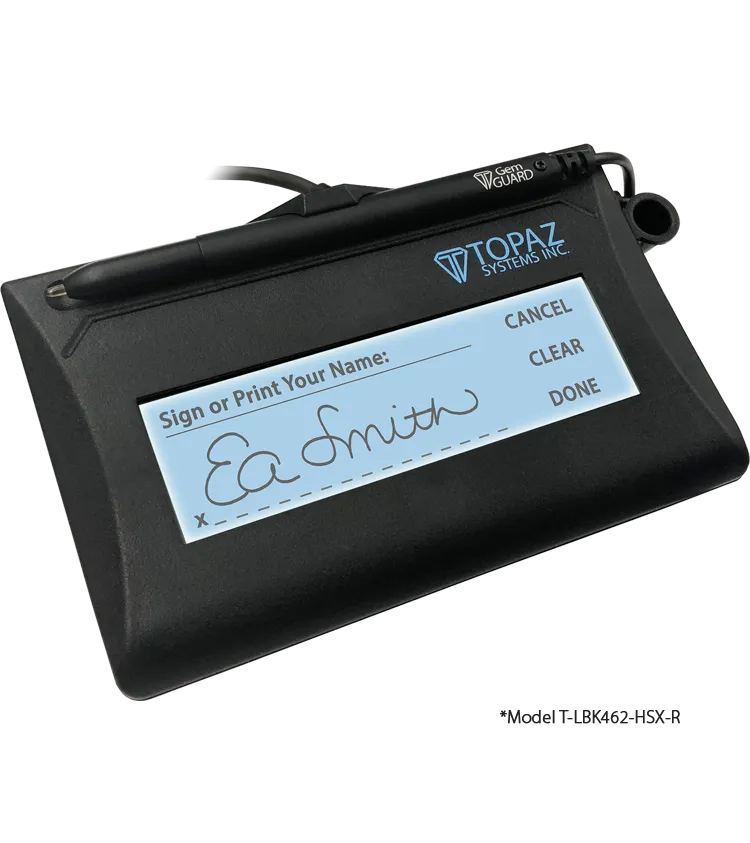
Signature Pad
The signature pad is a dedicated electronic device designed for capturing real-time signatures. It replicates the experience of signing on paper and often offers pressure sensitivity, resulting in a high-resolution and accurate representation of the signer's autograph. This method is popular in retail, logistics, and legal settings where the precision and legal validity of signatures are crucial.
eMudhra currently supports Topaz Signature Pad in emSigner Gateway.