Correlation ID and Client IP
API Logging & Metering for Transparent Billing
To ensure accurate billing and provide full transparency, we meticulously log every API request. This documentation explains how we meter usage, how you can use correlation IDs to reconcile transactions, and how to access your API logs.
How We Meter Your API Usage
Every API call you make is logged with essential metadata that forms the basis of our metering and billing system. For each request, we record the following:
- timestamp: The exact time the request was processed.
- gatewayUserId: The API credential (gateway user ID) from which the request is authorised.
- ProductID: The unique product ID that was accessed.
- apiName: The API name of the product that was accessed.
- statusCode: The HTTP status code of the response (e.g., 200, 404).
- responseTime: The time taken to process the request.
- clientCorrelationId: A unique transaction identifier (more info, see below).
- clientIp The IP address from which the request originated.
This logged data provides a comprehensive record of your usage.
timestamp,gatewayUserId,productId,apiName,statusCode,responseTime,clientCorrelationId,clientIp
2025-07-01 00:00:34,0ff0000e-ab10-bc20-vd30-abc4ad000efb,name_match,NAME MATCH,200,344,SIGNZY_UNIQUE_DA_001,127.0.0.1
2025-07-01 00:00:35,0ff0000e-ab10-bc20-vd30-abc4ad000efb,name_match,NAME MATCH,200,343,SIGNZY_UNIQUE_DA_002,127.0.0.1
Reconciling Transactions with Correlation IDs
To make tracking and resolving discrepancies seamless, we use a shared correlation ID system. This allows both you and our systems to pinpoint the exact transaction in question.
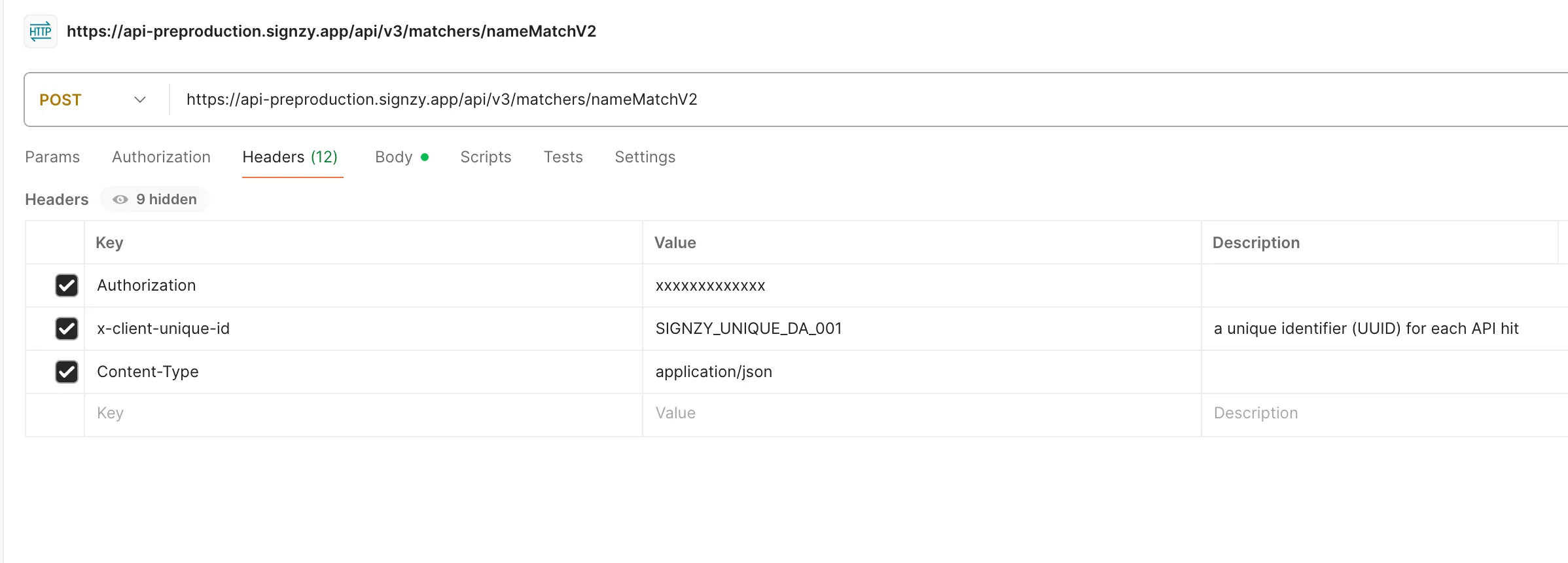
You are required to send a unique identifier in the x-client-unique-id request header.
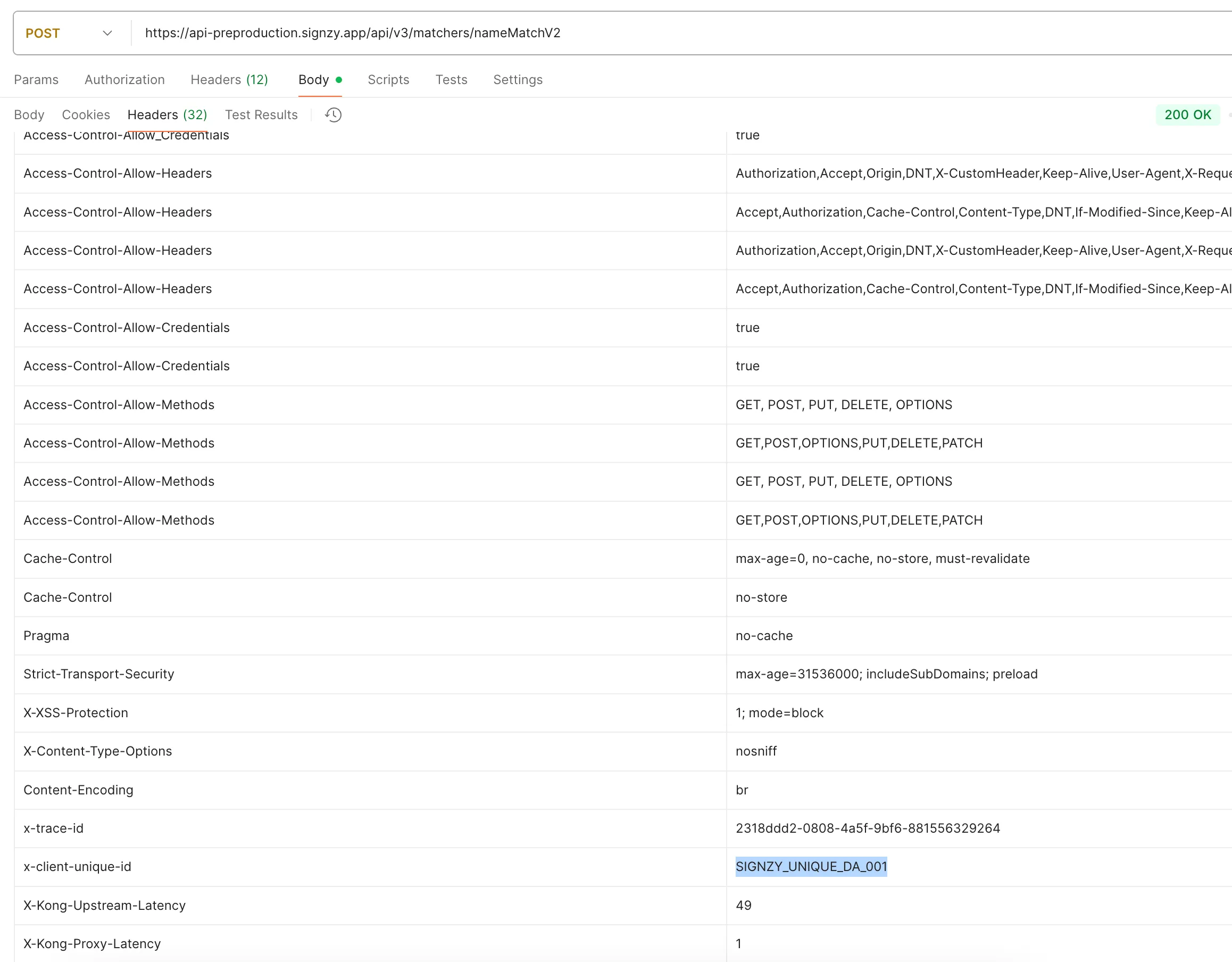
We will process your request and echo this same ID back to you in the response headers. This creates a clear, end-to-end audit trail for every single call.
Benefits of this approach:
- Precise Traceability: Instantly locate any transaction on your end and ours using the shared ID.
- Faster Dispute Resolution: If you have a billing question, providing the x-client-unique-id allows us to resolve your query immediately.
- Enhanced Transparency: You have the tools to independently verify your usage against our billing, fostering complete trust in the process.
What if x-client-unique-id is not sent? In the absence of your custom ID, our system will automatically log the request using our internal x-trace-id. This Correlation ID is always returned in the response headers, ensuring every transaction still has a unique identifier for reconciliation purposes.
In API Logs, x-client-unique-id is echoed in response headers if API request header passes this information, if it is not then x-trace-id is echoed in response headers which is your correlation ID in API Logs.
How to Access Your API Logs
You have direct access to your API transaction history which can be given in CSV format.
- Last 30 Days: You can view and download your transaction logs for the past 30 days directly from the API Usage page in your dashboard.
- Up to 3 Months: To access logs older than 30 days and up to 3 months, please contact our support team. We will retrieve and provide them to you.
- Older than 3 Months: Access to logs older than 3 months is not guaranteed and is subject to internal approvals. Please contact support with a clear business justification for such requests.
Implementation Example
Your API Request
Include the x-client-unique-id header in your API call. We recommend using a UUID or another unique identifier generated by your system.
Sample Curl
curl --location 'https://api.signzy.app/api/v3/matchers/nameMatchV2' \
--header 'Authorization: xxxxxxxxxxxxxx' \
--header 'x-client-unique-id: SIGNZY_UNIQUE_DA_001' \
--header 'Content-Type: application/json' \
--data '{
    "nameBlockv2": {
        "name1": "sh",
        "name2": "ssh"
		}
}'
The response will include your unique ID, confirming the transaction has been logged with it.