Base64 Encoding Plugin
Overview
The Base64 plugin enables encoding of request and response data into Base64 format to ensure safe transmission of URLs and file references.
- Purpose: Encode input values (such as URLs or files) into Base64 strings.
- Effect: Request and response structures remain unchanged; only the parameter values are encoded.
How to Use
- Access API Studio
- Go to the My APIs page.
- Select the required API.
- Click Open API Studio (redirects to the API Studio configuration page).
- Configure Base64 Plugin
- Provide a Studio API Name.
- Select the Base API and continue.
- Choose the environment (Test or Live).
- Enable the Base64 Encoder/Decoder plugin.
- Access Studio API
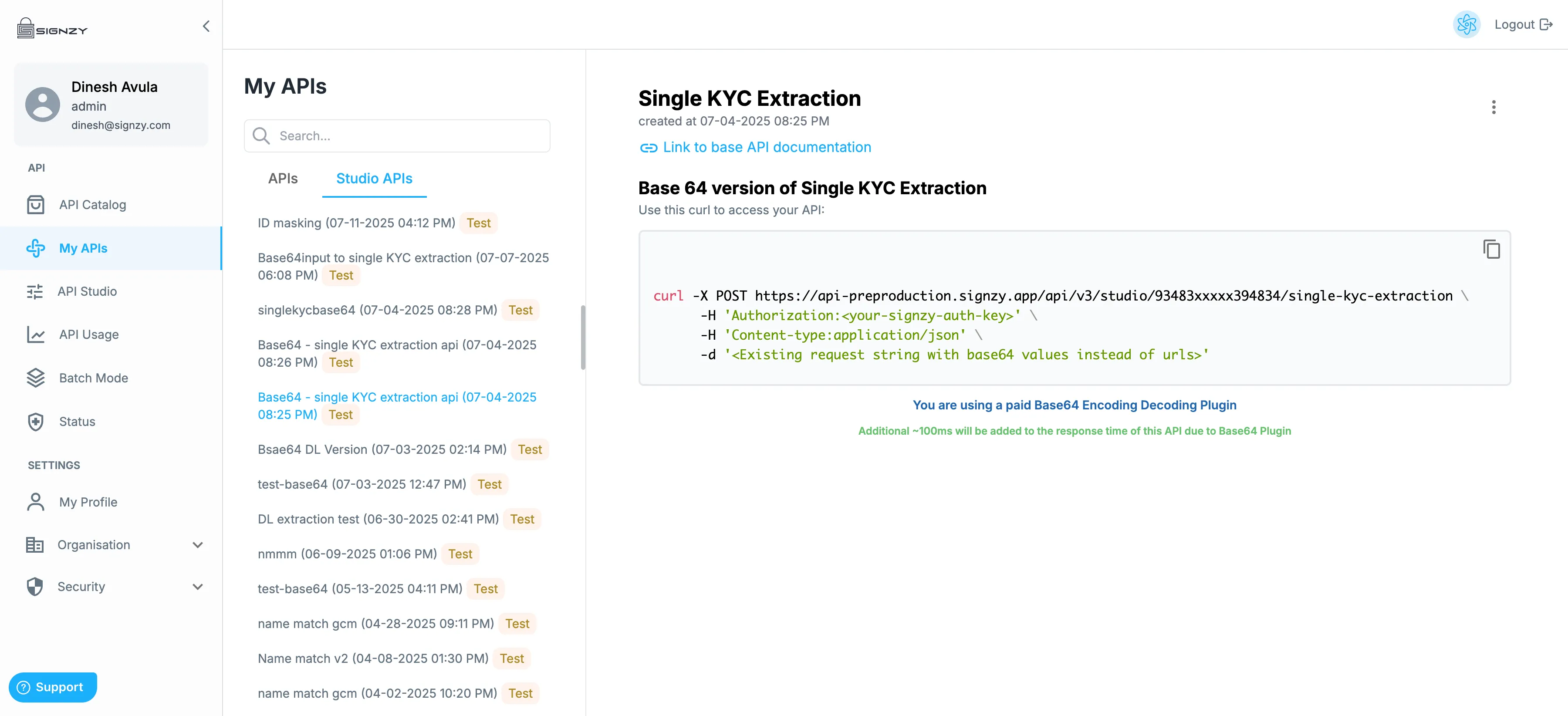
- Navigate to the Studio API tab under My APIs.
- Locate the newly created Base64-enabled API.
- Use the API
- Refer to the plugin-specific documentation within the Studio API view.
- Convert input data (file or URL) into a Base64 string.
- Replace the corresponding request parameters with the Base64-encoded value.
Response Handling
- Responses are returned with Base64-encoded values where applicable.
- Decode the Base64 values to retrieve the original data.
Notes
- Only parameter values are encoded; request and response schemas remain unchanged.
- Ensure proper encoding before sending requests to avoid validation errors.
Example Request
{
  "documentImage": "iVBORw0KGgoAAAANSUhEUgAA..."
}
When to Use
Use the Base64 plugin when your input data (like images or documents) cannot be reliably shared as plain URLs. Instead of uploading a file to storage and passing its URL, you can directly embed the file as a Base64 string in the request.
Base 64 Encoded API Example
curl -X POST https://<endpoint>/api/v3/studio/<id>/<base-api-id> \
  -H 'Authorization:<your-signzy-auth-key>' \
  -H 'Content-type:application/json' \
  -d '<Existing request string with base64 values instead of urls>'