Asymmetric Encryption Plugin
Overview
- Algorithm: RSA-2048 with SHA-256 (PKCS#8 format).
- Purpose: Provides stronger security where key sharing is restricted.
How Asymmetric Encryption works
Think of asymmetric encryption as using a lock and key set where the lock and key are different but connected:
- Public Key (the lock): Anyone can have it. You use it to lock (encrypt) the data before sending it.
- Private Key (the key): Only you hold it. It unlocks (decrypts) the data that was locked with the public key.
In Studio APIs, this works in two directions:
- You → Signzy:
- You use Signzy’s public key PEM file to encrypt your request payload.
- Only Signzy (with its private key) can decrypt and process it.
- Signzy → You:
- You share your public key file with us.
- We encrypt the response payload with your public key.
- Only you (with your private key) can decrypt and read the response.
The benefit is:
- You never have to share your private key with anyone.
- Even if the public key is widely distributed, data stays secure because only the paired private key can unlock it.
How to Use
- Go to the My APIs page and select the API you want to configure.
- Click on Open API Studio.
- Follow the usual setup steps (such as selecting environment, naming, etc.).
- Under plugins, select Data Encryption.
Configure Encryption
- In the configuration modal, choose the encryption type:
- Asymmetric (RSA2048-SHA256, PKCS#8)
- Select the required encryption key from the dropdown.
- Keys are managed under Security > Encryption Keys.
- Refer to the Encryption Keys documentation for key setup and management.
- Click Save to create the encrypted version of the API.
Key Management
- Keys must be generated in PKCS#8 format.
- Public key (from Signzy) encrypts requests.
- Private key (client) decrypts responses.
- Store private key securely (preferably in HSM).
Performance: Adds ~100ms latency due to heavy computation.
When to use: For external integrations where secret key sharing is not practical.
Asymmetric Encrypted API Example
curl -X POST https://<endpoint>/api/v3/studio/<-STUDIO-ID>/<base-API> \
      -H 'Authorization:<your-signzy-auth-key>' \
      -H 'Content-type:application/json' \
      -d '{ "encryptedData":"<Your RS256 encrypted request string using Signzy's Public Key>" }'
Response
Response from from Signzy's Encrypted API
  {
      "encryptedData":"<RS256 encrypted response using your Public Key>"
    }
Documentation for Encrypted Studio APIs
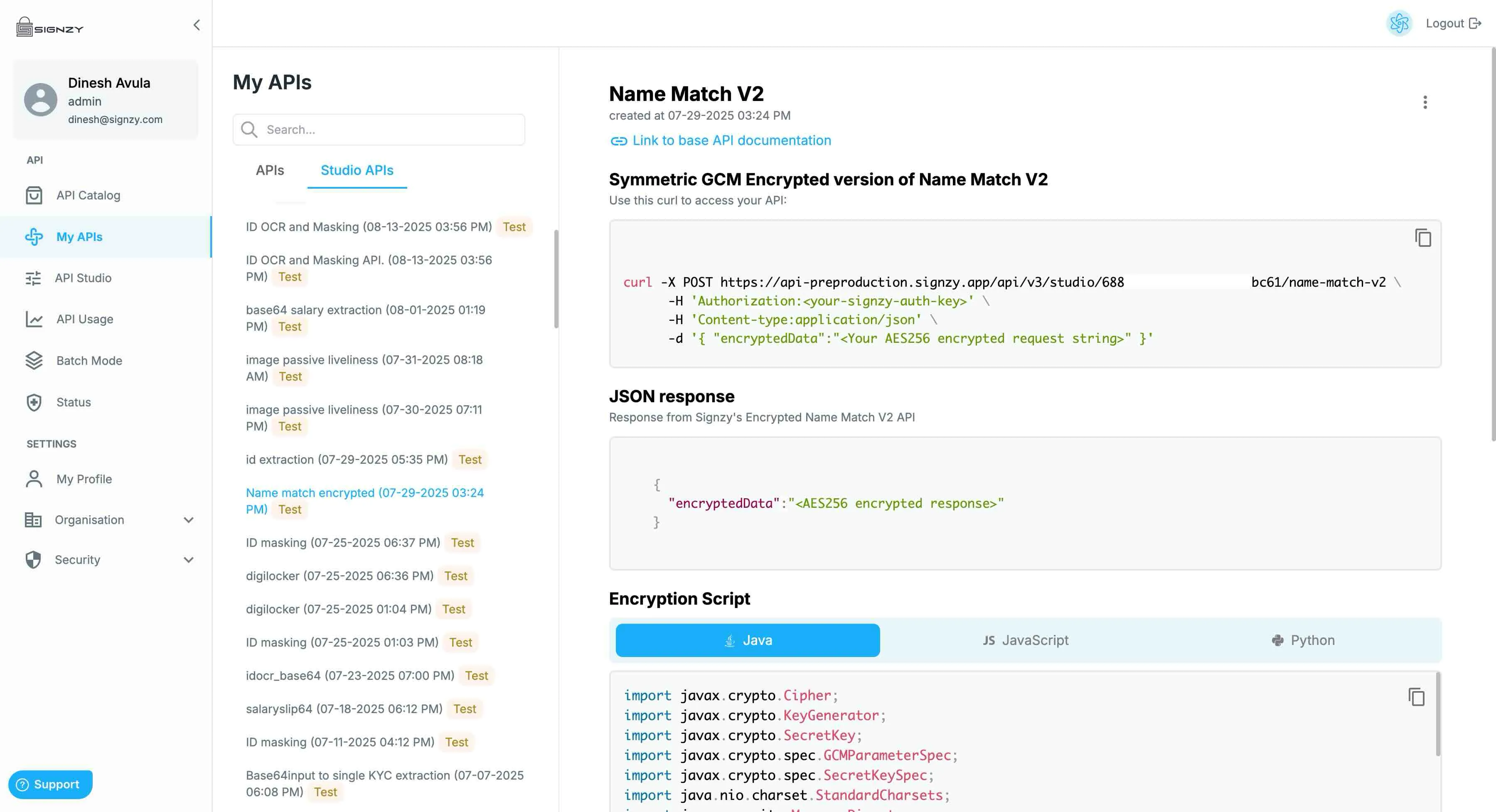
- Navigate to the Studio API tab under My APIs to view the documentation for your encrypted APIs.
- The portal provides the production curl command, which works with the same API keys you already use for the base (unencrypted) API.
- Along with this, you’ll find sample code snippets demonstrating how to:
- Encrypt the request body before sending.
- Decrypt the response body after receiving.