Aadhaar OCR and Masking API (cloned)
Introduction
This API streamlines the process of capturing key details from Aadhaar cards and also provides you with masked Aadhaar images that can be stored in your systems adhering to RBI regulations. It is a valuable resource for organizations and developers seeking to automate their onboarding processes with seamless integration and efficient data extraction.
API description
Sample Curl:
curl --location 'https://api.signzy.app/api/v3/aadhaar/extraction-masking' \
--header 'Content-Type: application/json' \
--header 'Authorization: <your auth code>' \
--data '{
    "frontUrl": "https://preproduction-persist.signzy.tech/api/files/27363481/download/3215f99bde5a41d88048aebe1b0a4770e2d4367b507b4cd58f31385XXXXXXXX.jpg",
    "backUrl": "https://preproduction-persist.signzy.tech/api/files/27363725/download/534e8c20878c44bf8ac08415092cc0ebcb64b335f1f549cb927d917XXXXXXXXX.jpg",
    "mask": true
}'
Input Parameters:
Property | Data Type | Example Value | Mandatory | Description |
|---|---|---|---|---|
frontUrl | String (URL) | "https://persist.signzy.tech/api/files/5831dc1e2.jpg" | Yes | The URL of the front image of the Aadhaar card for OCR and masking. |
backUrl | String (URL) | "https://persist.signzy.tech/api/files/5831dc1d3.jpg" | No | The URL of the back image of the Aadhaar card for OCR and masking. |
Details of the response properties
Sample Response:
The API response will be a JSON object containing the following properties:
Property | Data Type | Example Value | Description |
|---|---|---|---|
result | Object | - | The root object containing the API's results. |
poi | String | "000000001614" | The extracted Aadhaar number (UID). |
vid | String | "" | The extracted Aadhaar VID (Virtual ID). |
name | String | "JOHN DOE" | The name of the Aadhaar cardholder. |
dob | String | "22/07/1998" | The date of birth of the cardholder in DD/MM/YYYY format. |
yob | String | "1998" | The year of birth of the cardholder. |
pincode | String | "560079" | The PIN code associated with the cardholder's address. |
address | String | "C / O ABC FHID" | The full address of the cardholder as extracted from the Aadhaar card. |
gender | String | "Male" | The gender of the cardholder. |
splitAddress | Object | - | An object containing a breakdown of the cardholder's address into different components. |
idHash | String | "2650a102c9f28f2XXX" | A hashed version of the extracted Aadhaar number (UID) for security purposes. |
validBackAndFront | Boolean | true | Indicates whether the front and back images of the Aadhaar card are valid for processing. |
maskedfrontUrl | String | "https://persist.com/files/5831dc1e2.jpg" | The URL to access the masked front image of the Aadhaar card. |
maskedBackUrl | String | "https://persist.com/files/5831dc1e2.jpg" | The URL to access the masked back image of the Aadhaar card. |
unmaskedId | String | 123456789101 | The unmasked Aadhaar UID if mask parameter is passed as false in request body |
Error Codes
Error Code | Description |
|---|---|
400 | Bad request. This error occurs when the request is invalid or missing required parameters. |
401 | Unauthorized. This error occurs when the request does not contain a valid API key or access token. |
403 | Forbidden. This error occurs when the API key or access token provided with the request does not have permission to access the requested resource. |
404 | Not Found. This error occurs when the provided Aadhaar image is not found or not in the proper format. |
429 | Too Many Requests. This error occurs when the request limit for the API endpoint has been reached. |
500 | Internal Server Error. This error occurs when there is an unexpected error on the server side. |
FAQ
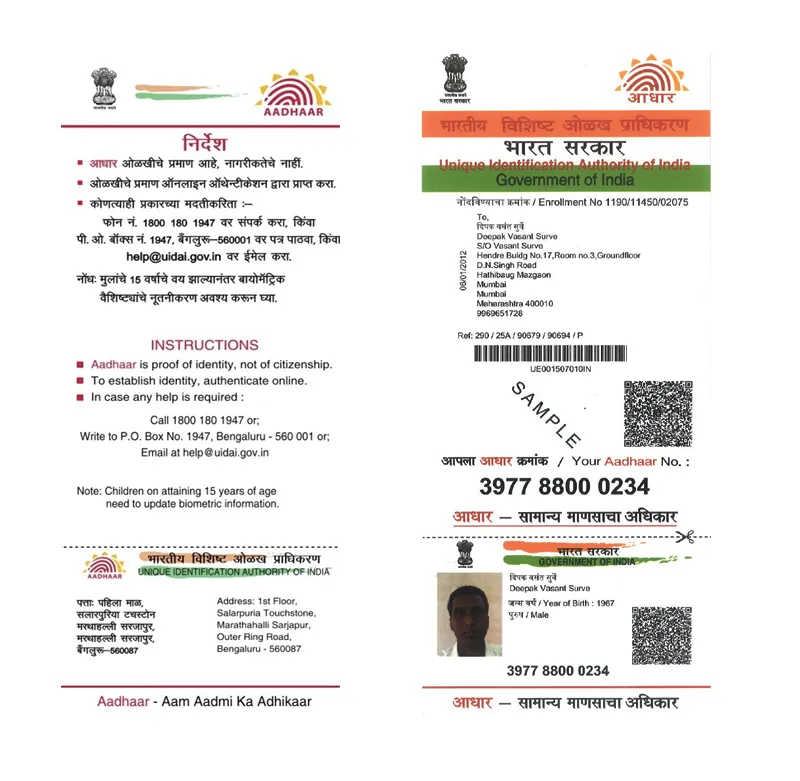
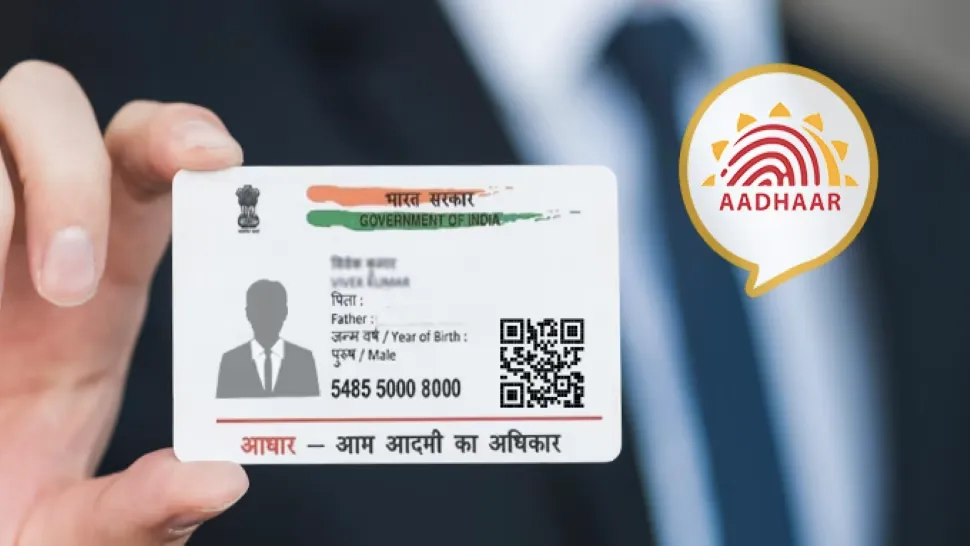
1) What are the different type of Aadhaar cards supported?
Below types are supported:
2) What are the image types supported?
JPEG, JPG, TIFF, PNG, PDF (1 page) are supported.